



Accurate sample identification and tracking is critical. OneDArT addresses this challenge through robust barcode integration, featuring GS1 compliant barcodes that streamline sample management from collection to processing.
OneDArT’s barcode integration goes beyond traditional labeling practices. Dynamic Linking, using a unique identifier, means that samples collected in the field maintain their barcoded identity throughout the testing process.
With a focus on precision, efficiency, and compliance with industry standards, OneDArT is committed to delivering reliable tools that meet the diverse needs of modern scientific research.
Tailor forms to suit your project needs from simple field notes to structured survey templates designed on the web and integrated with the mobile app.
Capture geolocation, images, and audio alongside your observations for richer environmental context.
Record data in the field without network coverage and sync later when online.
Review and edit records on the device or via the web app before submission.
The OneDArT interface is designed to be intuitive and easy to use, so that lab personnel can produce barcodes quickly and accurately.
OneDArT allows users to generate barcodes in batches, facilitating the management of large numbers of samples.
As with all aspects of OneDArT, the barcode tracking capabilities are fully integrated with other modules, including Ecologue, to enhance data association and accessibility via web and mobile applications.
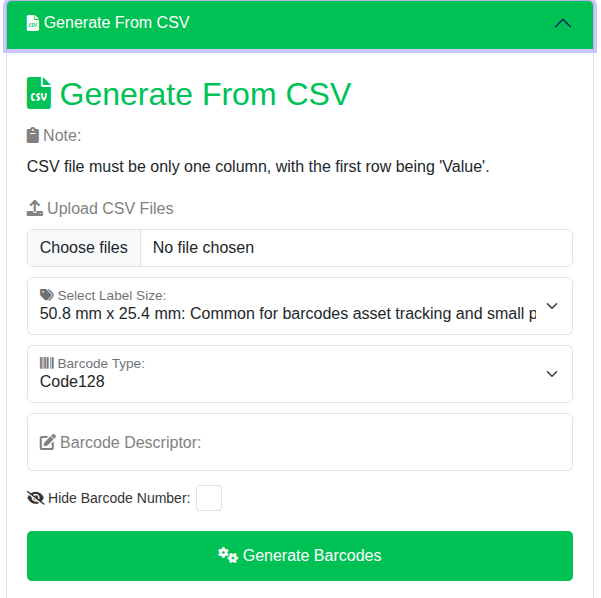
This feature allows you to upload a CSV file containing a single column of values. The application will generate barcodes based on the uploaded values.
Custom built through inputs
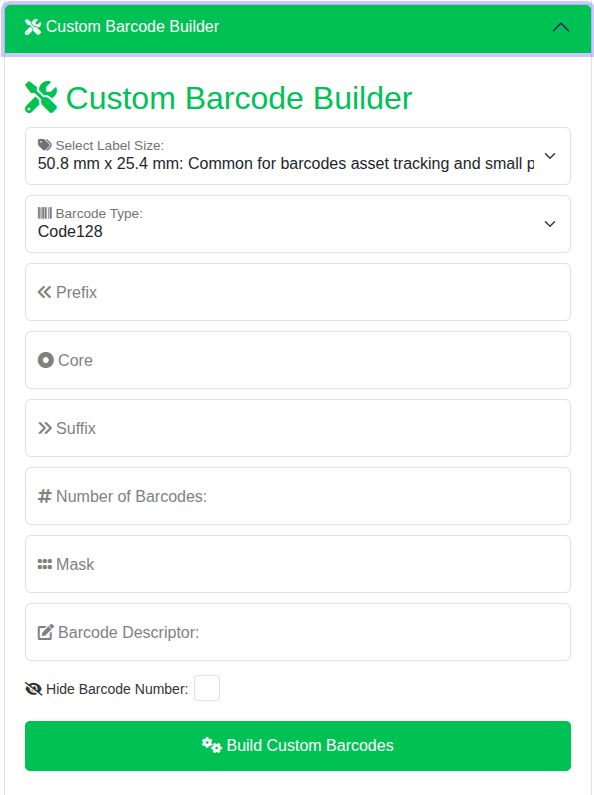
Use the Custom Barcode Builder to create barcodes with specific prefixes, cores, and suffixes along with custom parameters.
Uniquely generated
This feature generates a specified number of unique barcodes with selected label size and barcode type.
Previously generated
Retrieve barcodes generated within a specific date range along with label size and type filters